Showing posts with label C Plus Plus. Show all posts
Showing posts with label C Plus Plus. Show all posts
Tuesday, October 6, 2015
How to setup Eclipse for C/C++, MinGW and CUTE plugin
Setting Up Eclipse
- First we need to download Eclipse. Open this link and click on "Windows 32-bit" or "Windows 64-bit" according to your system.
- After you download the .zip, extract it and place the eclipse folder somewhere you like. I placed mine in C:\Program Files\Eclipse. Here's a screen:

Setting Up MinGW
- Download MinGW from the link below:
- Run the installer. Press "Install" and then "Continue".
- The MinGW Installation Manager should now open. Click on "Basic Setup" on the left side of the window. Then look for "mingw32-base", click on the check box and select "Mark for Installation". Also mark "mingw32-gcc-g++" (Class "bin" and "dev") for Installation.
- On the main menu bar, click on "Installation" menu and select "Apply Changes". Wait for it to finish.
- When it is done, you should have something like this:

- Right-click "My Computer" and select "Properties". Click on "Advanced System Settings". Press "Environment Variables..." and add a new user variable named "Path" and with the location of MinGW bin folder on its value. You should have something like this:

- Open Eclipse. If prompted on where to store your workspace, browse to the folder where you want to keep your projects.
- On the main menu bar, click on "Help" menu and select "Install New Software..."

- Click "Add..."
- Fill in the forms:
- Name: CUTE
- Location: http://www.cute-test.com/updatesite
- Press OK.
- Now select:
- CUTE Optional Features
- CUTE Plugin
- Press "Next" twice, select "I accept (...)" and then press "Finish". When it is done it will prompt you to restart Eclipse.
--------------------------------------
And that concludes this tutorial.
Hope it helped you!
Henrique Ferrolho

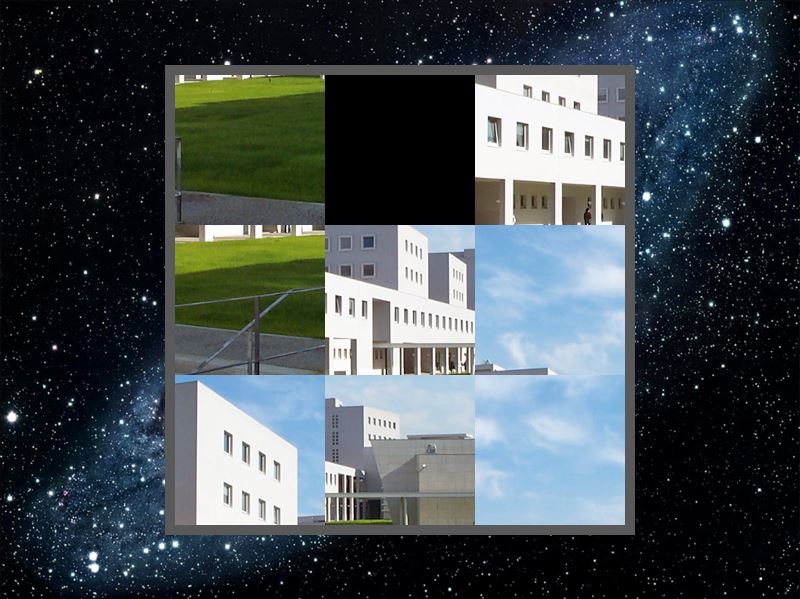
Slide Puzzle Reloaded
C++ game using Allegro 5 graphics library.
The goal is to move pieces around until you get the original image.
Download link (small download button):
http://www.2shared.com/file/aHpEH_M3/Slide_Puzzle_Reloaded.html
Repository:
https://svn.fe.up.pt/repos/slide_puzzle_reloaded
SS:


Read more »
The goal is to move pieces around until you get the original image.
Download link (small download button):
http://www.2shared.com/file/aHpEH_M3/Slide_Puzzle_Reloaded.html
Repository:
https://svn.fe.up.pt/repos/slide_puzzle_reloaded
SS:

Tetris
The game was programmed using C++ language and Allegro 5 2D graphical library.


Read more »
Download link:
[Windows]
Repository:
SS:


Classic Snake Game
My first game using Allegro 2D library. Programmed in C++.
Download link (small download button):
http://www.2shared.com/file/1Yjf9GXo/Snake.html
Repository:
http://svn.fe.up.pt/projects/snake/repository
SS:

Read more »
Download link (small download button):
http://www.2shared.com/file/1Yjf9GXo/Snake.html
Repository:
http://svn.fe.up.pt/projects/snake/repository
SS:

Monday, October 5, 2015
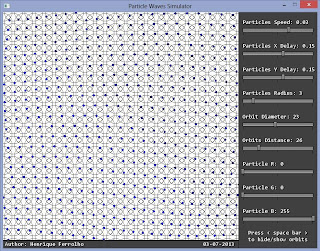
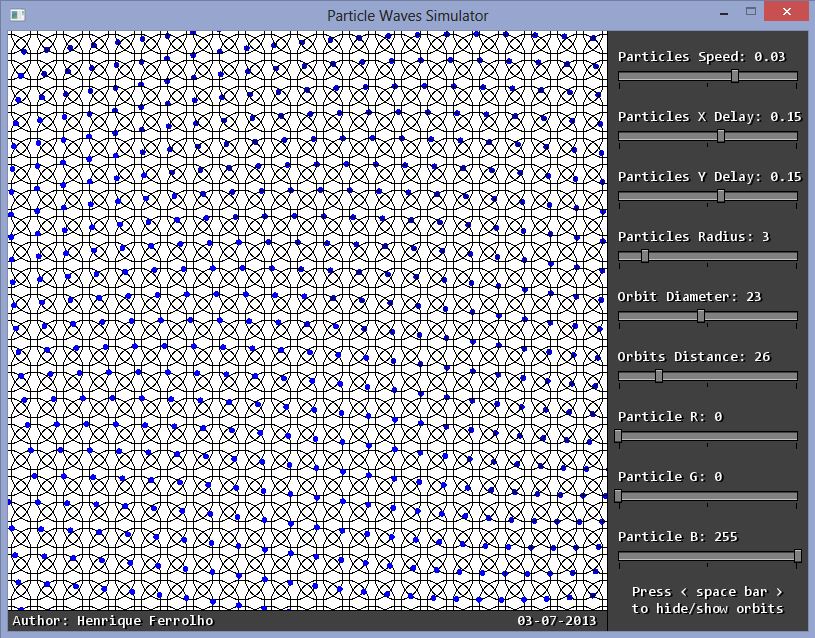
Particle Waves Simulator
C++ simulator using Allegro 5 graphics library.
You can create waves of particles and customize particle behavior.
Download link:
[Windows]
https://github.com/solutiononlen/Particle-Waves-Simulator/blob/master/Binaries/Windows/Particle%20Waves%20Simulator.rar?raw=true
[Ubuntu]
https://github.com/solutiononlen/Particle-Waves-Simulator/blob/master/Binaries/Ubuntu/Particle%20Waves%20Simulator.zip?raw=true
Repository:
https://github.com/solutiononlen/Particle-Waves-Simulator.git
SS:

Read more »
You can create waves of particles and customize particle behavior.
Download link:
[Windows]
https://github.com/solutiononlen/Particle-Waves-Simulator/blob/master/Binaries/Windows/Particle%20Waves%20Simulator.rar?raw=true
[Ubuntu]
https://github.com/solutiononlen/Particle-Waves-Simulator/blob/master/Binaries/Ubuntu/Particle%20Waves%20Simulator.zip?raw=true
Repository:
https://github.com/solutiononlen/Particle-Waves-Simulator.git
SS:


Subscribe to:
Posts (Atom)